
nellyfish

DJ Everywhere

Serato DJ, now on iPhone and iPad. Bring the full power of Serato DJ to every moment. Stream millions of songs on Spotify, Apple Music and more. Plug and play on 120+ DJ hardware setups.

Download on the App Store

Experiment. Practice. Perform. Everywhere.
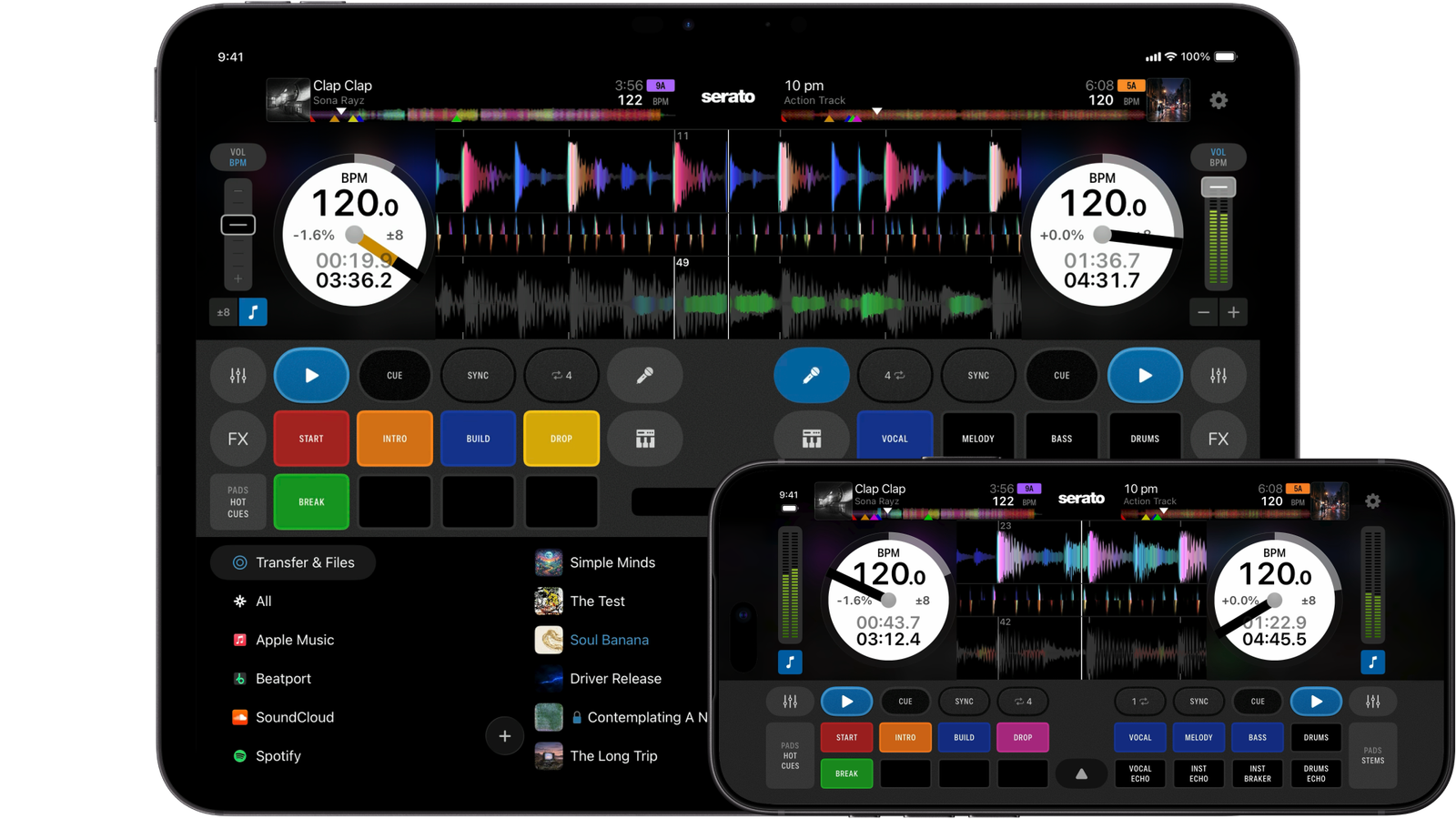
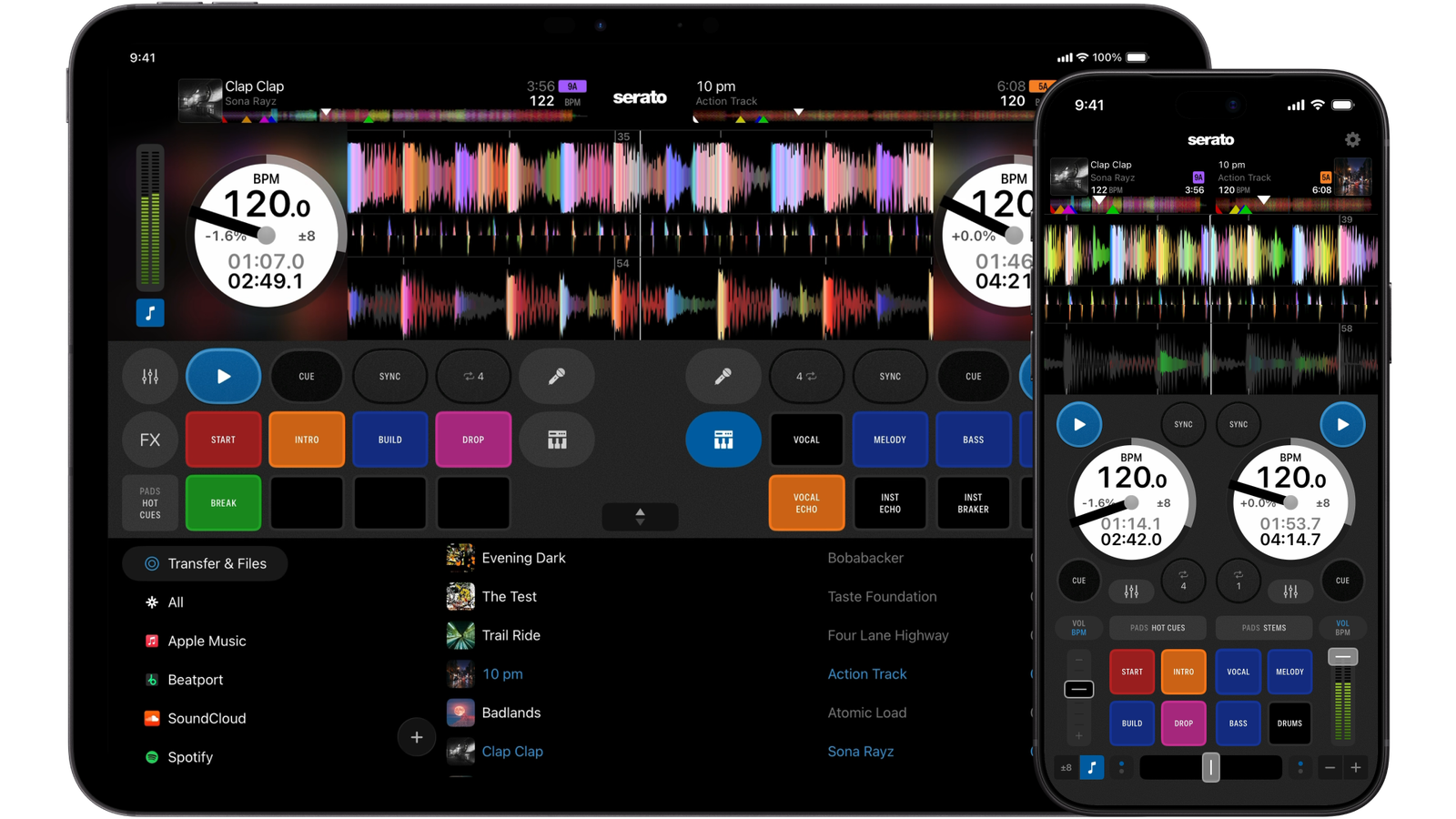
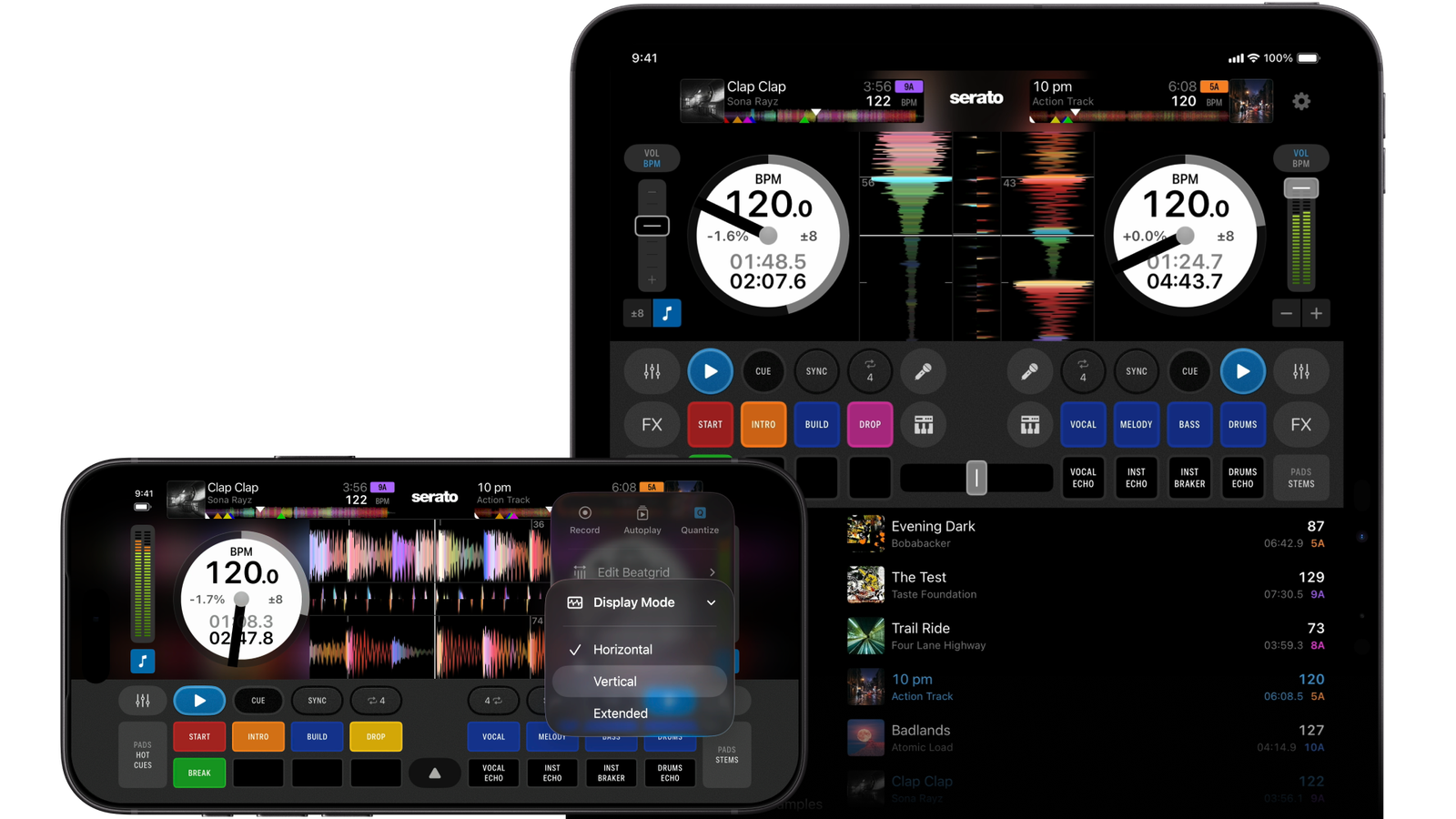
Serato DJ for iOS displaying its two-deck DJ app interface on iPhone and iPad.
Serato DJ for iOS displaying on-screen DJ controls, Performance Pads, and waveforms on iPhone and iPad.
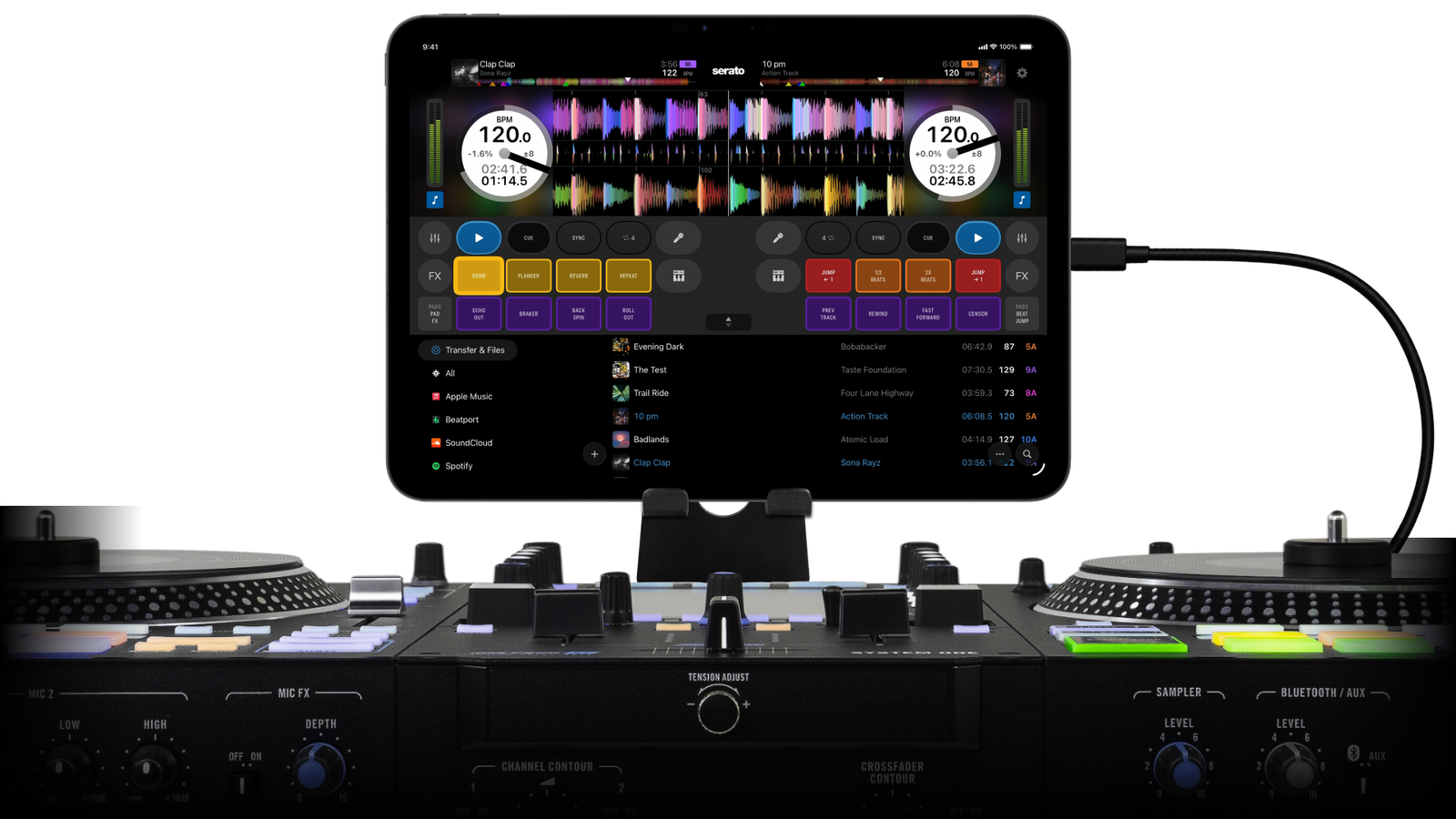
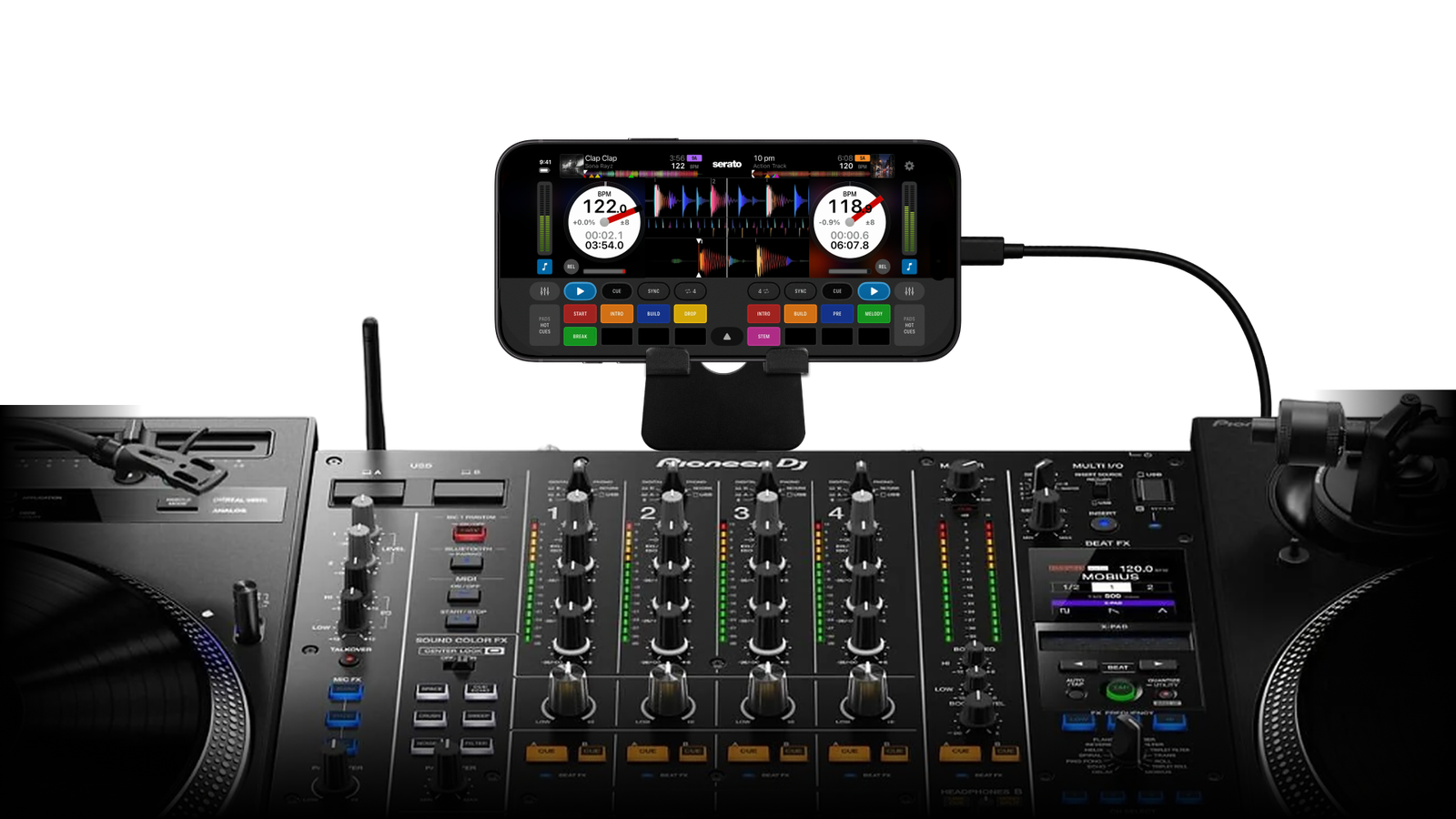
Serato DJ for iOS running on an iPhone connected via DVS  with turntables and a DJ mixer.
Arrow icon

Explore Serato DJ for iOS

Arrow icon

Take a tour of the features.

Arrow icon

DJ With and Without Hardware

Arrow icon

DJ everywhere, even without a controller. Performance Pads, waveforms, and full mixing controls, all right there on your screen.

Arrow icon

Plug in, Play Instantly

Arrow icon

Plug into over 120 natively supported controllers, mixers or turntables, and start playing straight away.

Arrow icon

Full Serato DJ Library

Arrow icon

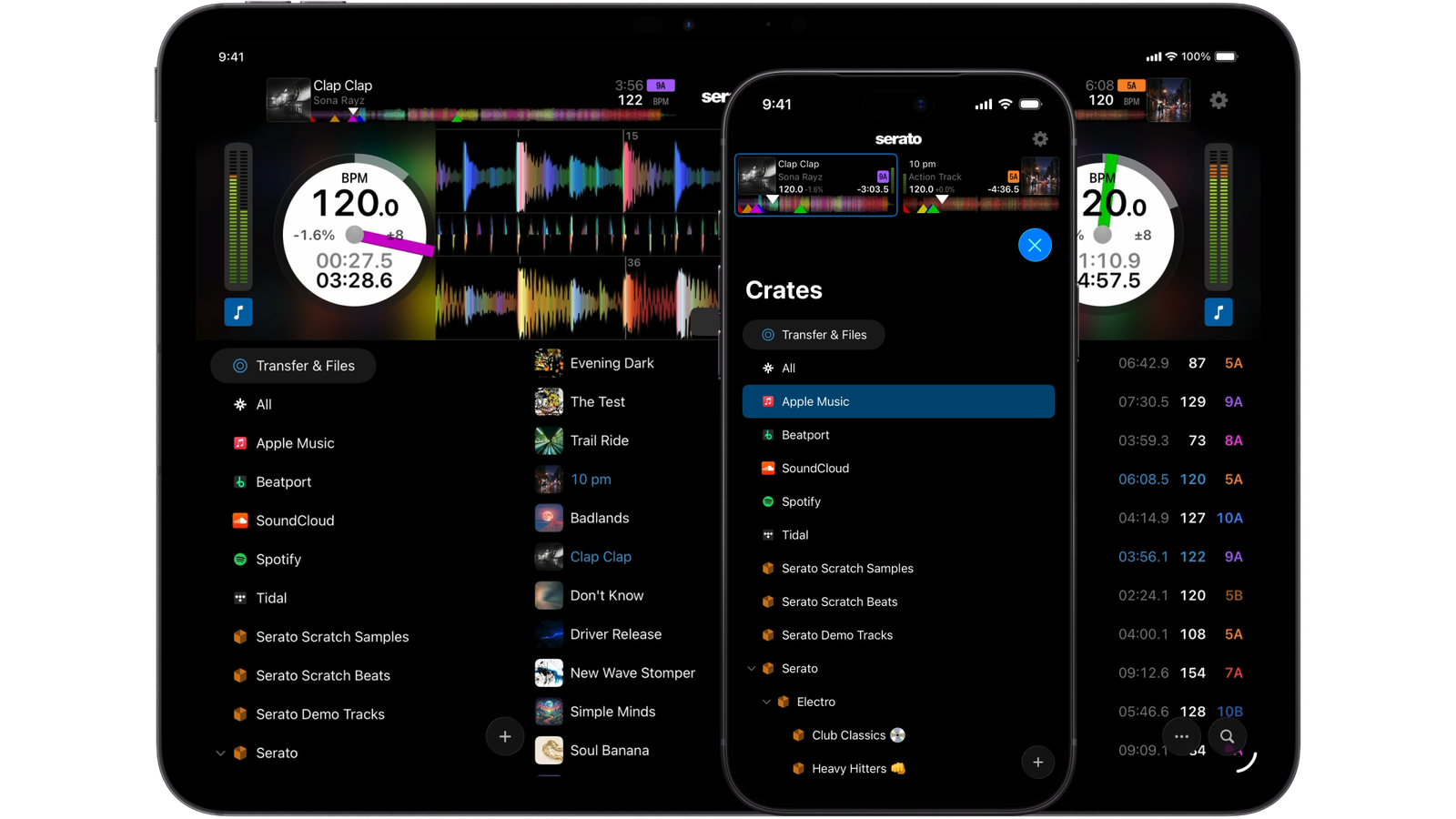
Your crates, tracks, and playlists, simplified and improved for mobile. The library you know, just easier to navigate than ever.

Arrow icon

Control EQs and FX

Arrow icon

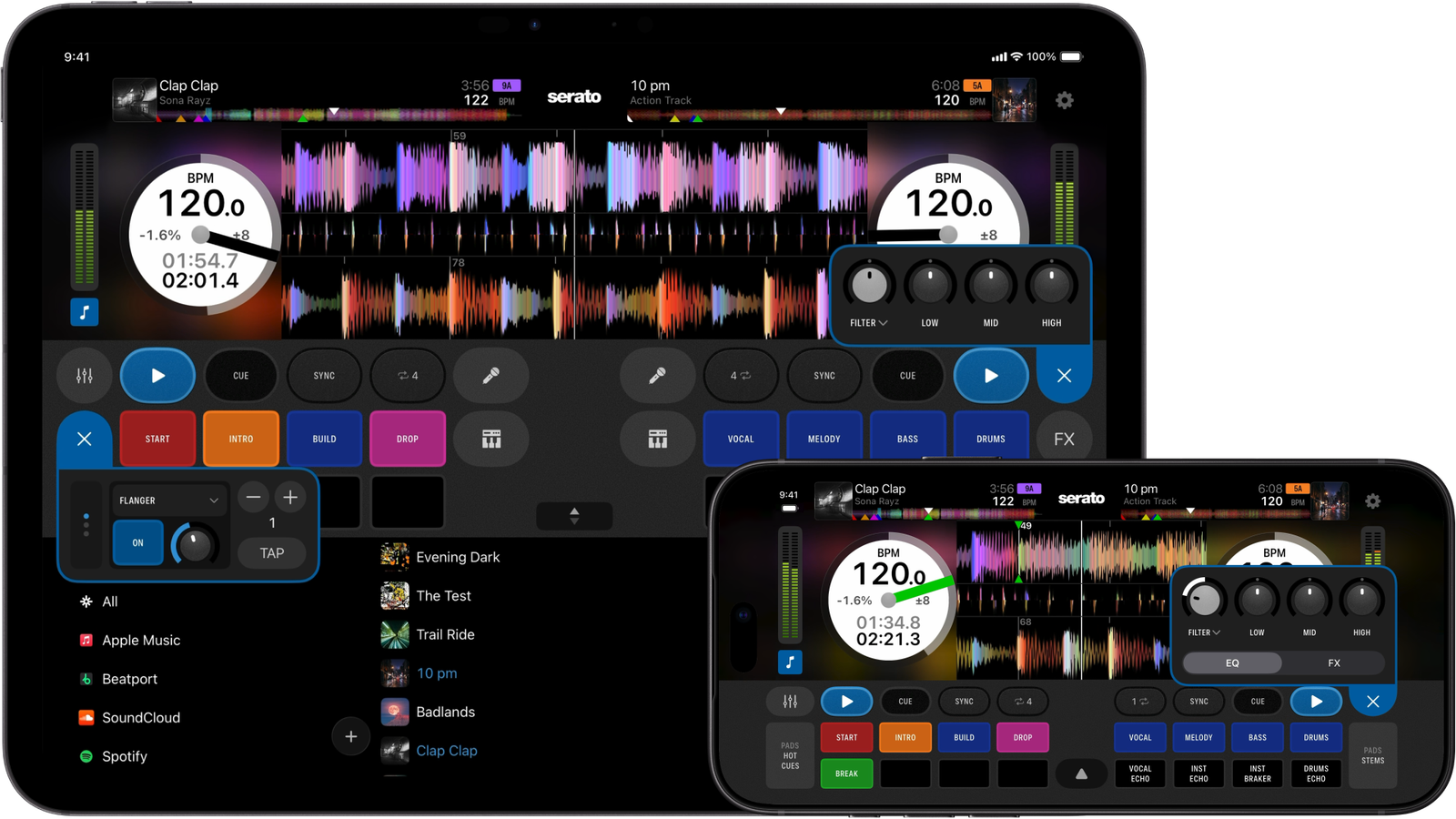
Adjust EQs on the fly, and layer in FX from Serato's full effects suite, all right at your fingertips.

Arrow icon

Waveforms Your Way

Arrow icon

Switch between horizontal, vertical, and extended waveform layouts, whichever way you like to see your set.

Arrow icon

DVS Support

Arrow icon

Serato DJ for iOS supports Digital Vinyl System setups, so you get the same tactile control from your turntables and Control Vinyl.

Grab Your Favorite Crates to Go

Bring your favorite crates and songs straight from your laptop to your iPhone or iPad with Serato iOS Transfer. Cue points, beatgrids, and metadata all come along for the ride too.

DJ with Apple Music, Spotify, and More

Log in to Apple Music, Beatport, SoundCloud, Spotify, or Tidal, and you're mixing from millions of songs instantly. Your liked songs and playlists show up right in the Serato DJ app, so you've always got the right song for the moment.

Logos of Apple Music, Beatport, SoundCloud, Spotify, and Tidal — all streaming platforms supported in Serato DJ, the top professional DJ software.

Plug into 120+ DJ Hardware Setups

Over 120 supported DJ controllers, turntables, mixers, and hardware, all ready to play as soon as you plug in. DJ with AlphaTheta, Hercules, Numark, Pioneer DJ, Rane, Roland, and more.
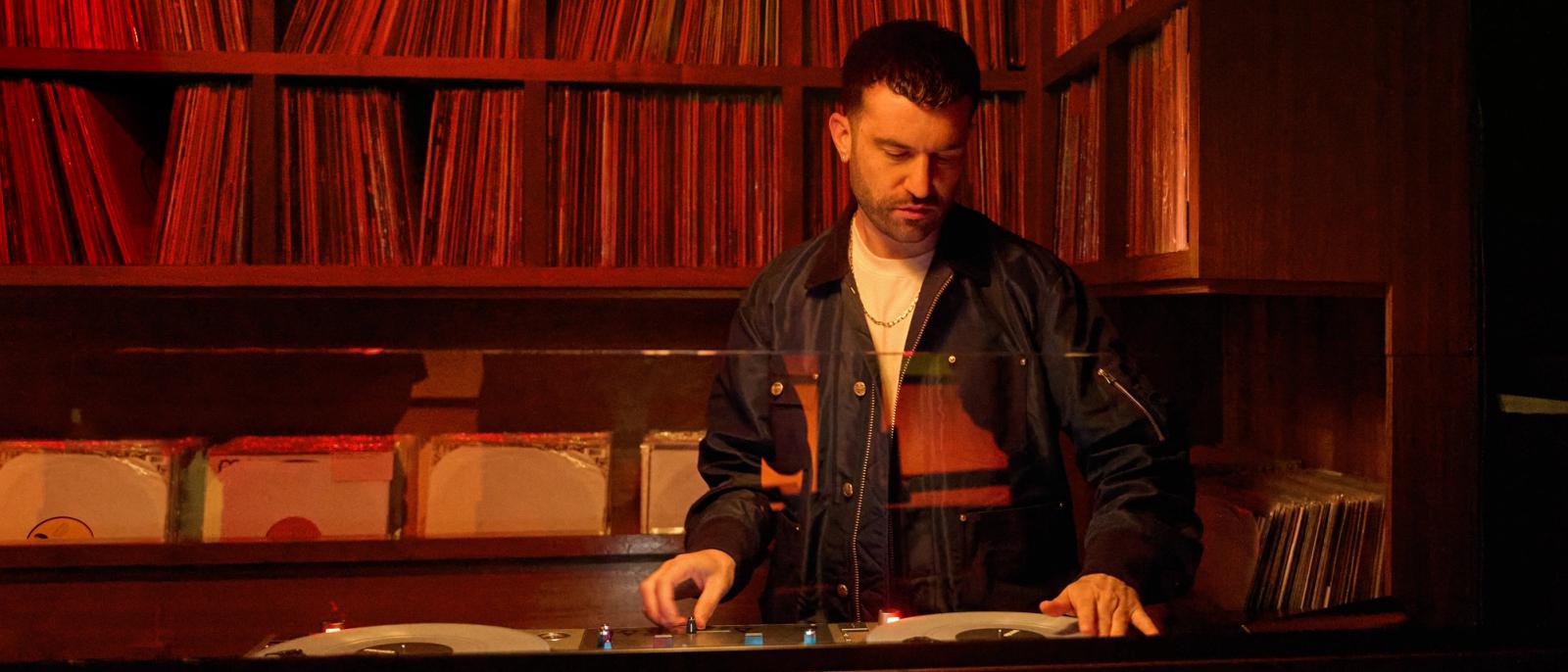
A-Trak scratching on turntables using Serato DJ for iOS, a DJ app for iPhone and iPad.

“There are other iOS apps for DJing, but they aren’t Serato. They aren’t the official app.”

A-TRAK

DJ, WORLD CHAMPION TURNTABLIST & GRAMMY-NOMINATED PRODUCER

EVERYTHING YOU NEED, WHEREVER YOU ARE

Every Pro DJ Feature

Serato DJ, Built for iPhone and iPad

The same reliability you know and trust, now on mobile. Mix with virtual decks, Serato's iconic crates, and a library optimized for smaller screens.
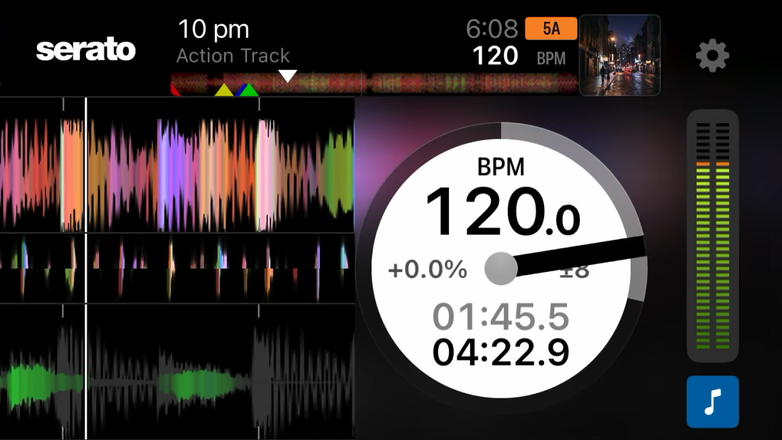
Serato DJ for iOS GUI showing waveforms, BPM and track information.

DJ with Stems & Stems FX

Access Serato’s industry-leading Stem separation on your device, including Stems FX for creative mixing.
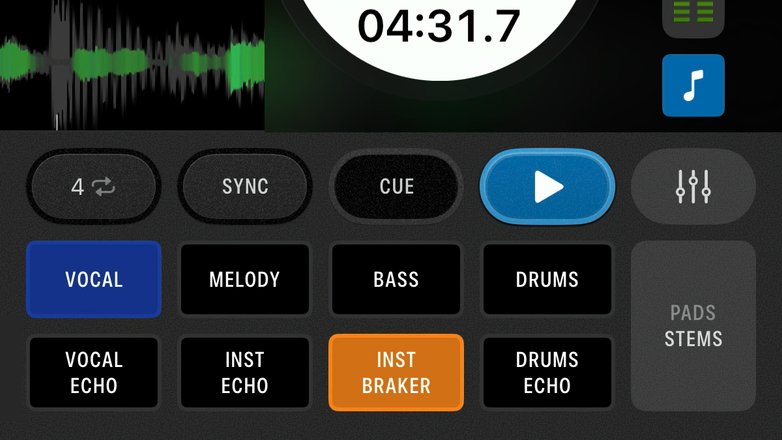
Serato DJ for iOS GUI showing Stems Pads.

Built-in FX & Channel FX

Choose from over 60 built-in effects and assign up to 6 per channel for more creativity when you’re mixing music. Add a filter, dub echo, reverb or noise for even more control.
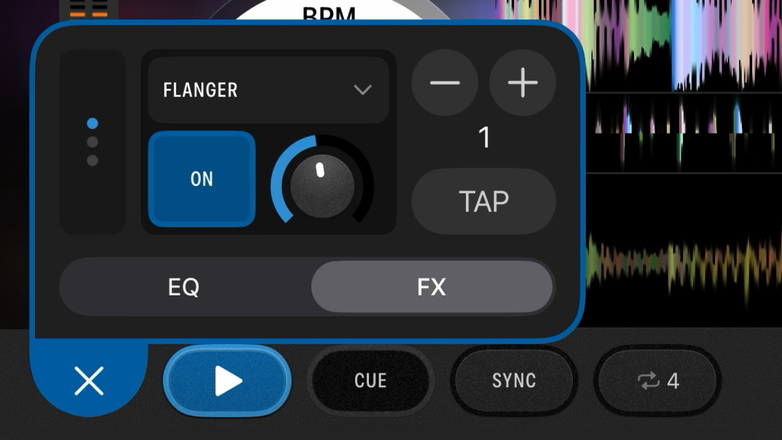
Serato DJ for iOS GUI showing built-in FX and channel FX.

Advanced Pad Modes

Responsive performance pads right from your screen. Play with Pad FX, Loop Roll, Beat Jump, Auto Loop, and more.
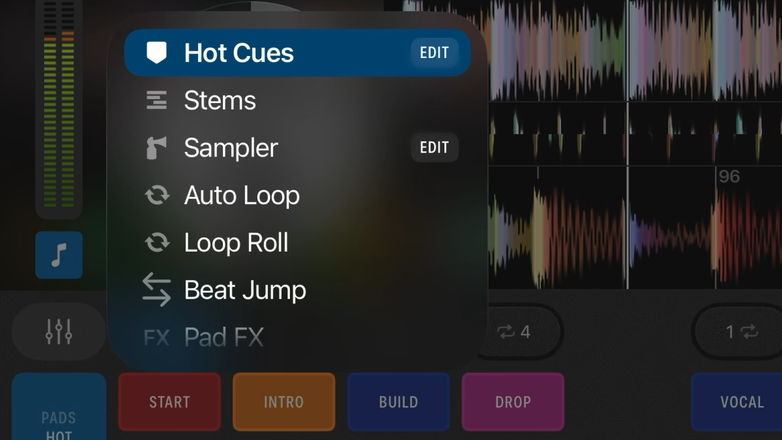
Serato DJ for iOS GUI showing advanced Pad Modes.

Cue Points & Cue Loops

Set up to 8 cue points on each of your songs for triggering phrases or track preparation. Existing cue points transfer straight from your music library.
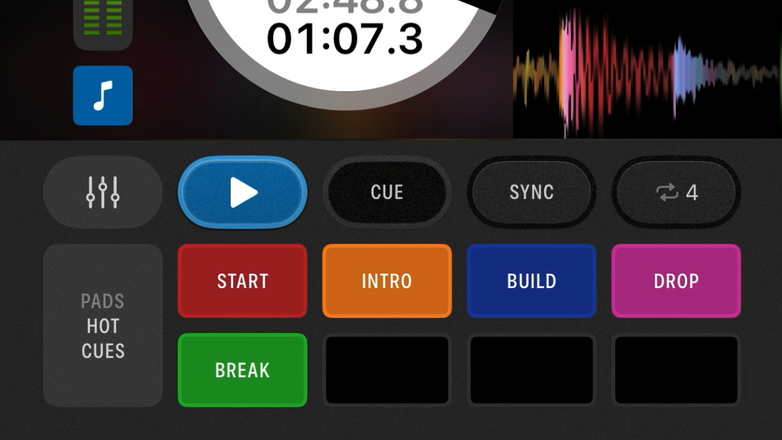
Serato DJ for iOS GUI showing cue points and cue loops.

Sampler

Load up to 8 samples into the sampler pad mode, or choose from a range of pre-loaded samples included in the app.
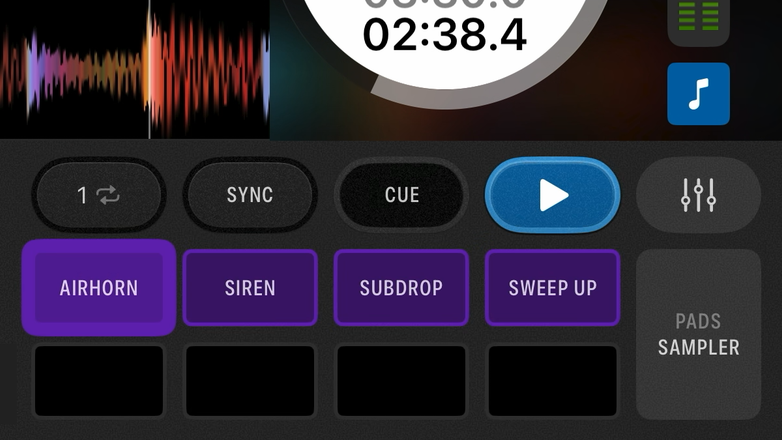
Serato DJ for iOS GUI showing the sampler pad mode.

Record Every Mix

Record your mix straight to your device, ready for you to upload, share, or play.
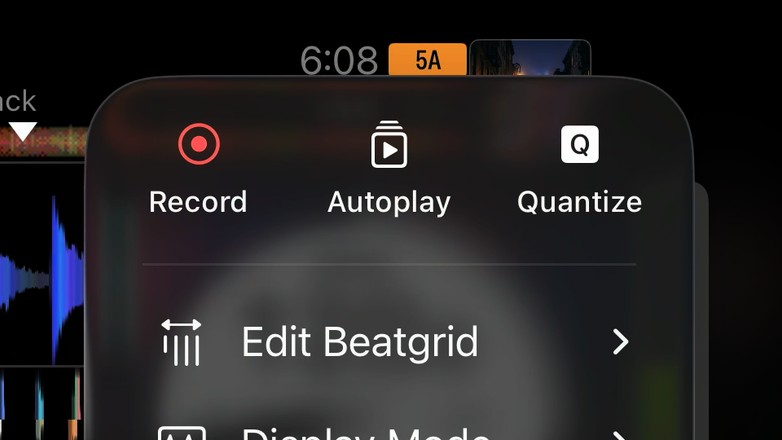
Serato DJ for iOS GUI showing the recording feature.

Built-In Pad FX

Trigger Pad FX right from your screen, or connect to DJ hardware and play.
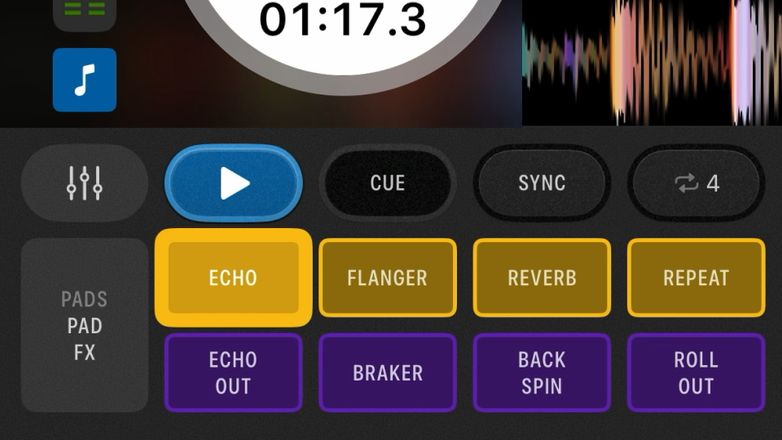
Serato DJ for iOS GUI showing built-in pad FX.

DVS Support

Serato DJ for iOS supports Digital Vinyl System (DVS) setups on iPhone and iPad.
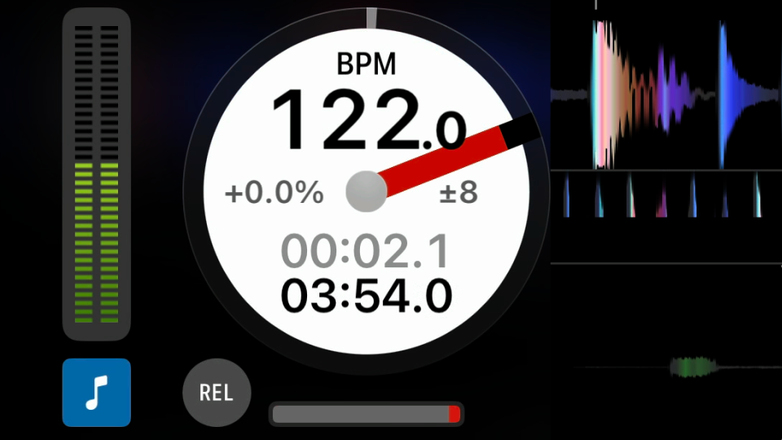
Serato DJ for iOS GUI showing DVS support.

P’nT Key Sync & Key Shift

Speed up or slow down your songs without losing the original key, or shift and sync a track's key to match whatever's playing.
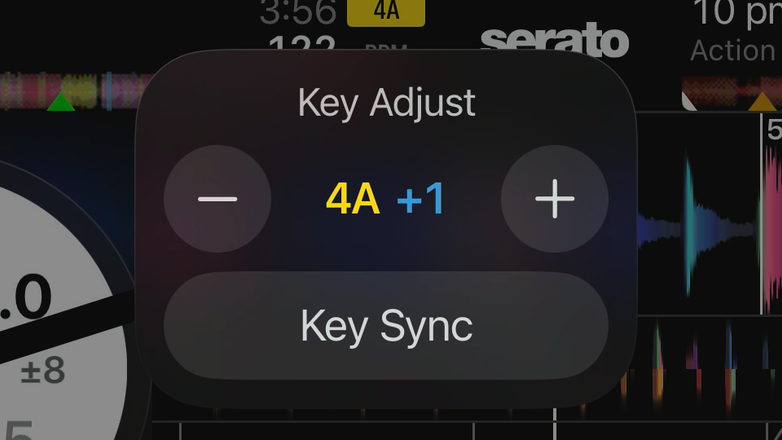
Serato DJ for iOS GUI showing P’nT key sync and key shift.

Waveform Views

Switch between horizontal, vertical, and extended waveform layouts, right on your iPhone or iPad.
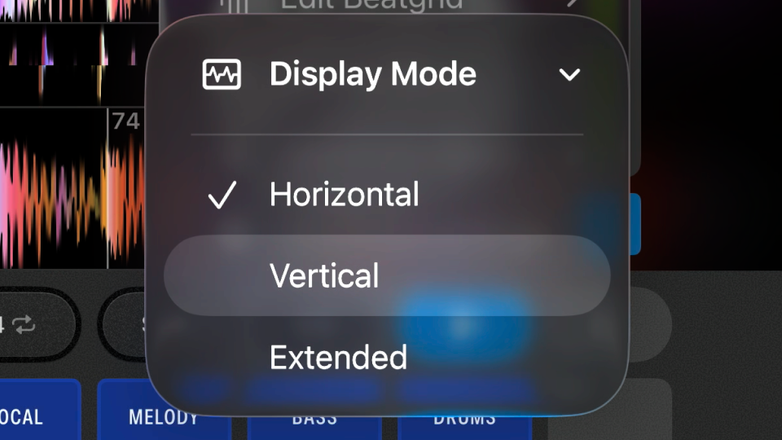
Serato DJ for iOS GUI showing different waveform views.

Quantize

Set beatgrids for your songs, then with Quantize on, Serato will snap your next loaded song to ensure your mix is in time.
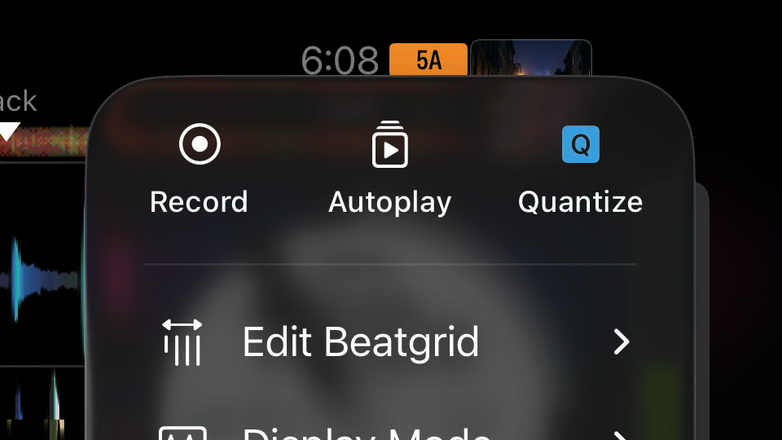
Serato DJ for iOS GUI showing Quantize.

Overview Video

Get Started With Serato DJ for iOS
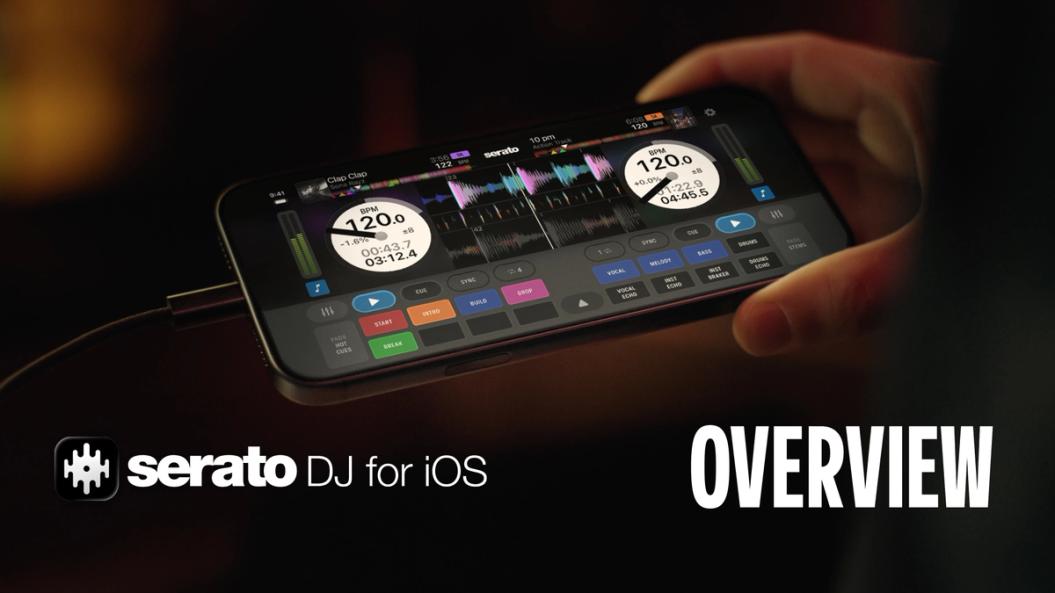
iPhone running Serato DJ for iOS, a DJ app for iPhone and iPad.14:04

Resources

Where to Go Next

FAQs

Getting Started

Plus iconMinus icon

Is Serato DJ for iOS free to install and use?

Yes. Serato DJ for iOS is a free DJ app for iPhone and iPad, available to download from the App Store, so you can jump in and start mixing right away. The free version includes all the essential tools you need to get started and works with selected DJ hardware. To unlock all features and access the full range of supported hardware, upgrade to Serato DJ Suite or purchase Serato DJ for iOS outright.

Plus iconMinus icon

How do I transfer my music library and crates from my computer to my mobile device?

Music tracks and crates can be transferred directly from Serato DJ Pro or DJ Lite via the iOS Transfer feature on your laptop to your iPhone or iPad over Wi-Fi, AirDrop, or via a direct cable connection. All saved cue points, beat grids, and track metadata are preserved during transfer.

Plus iconMinus icon

What happens if I receive a phone call or notification during a live gig?

Incoming calls or notifications may interrupt your performance while using Serato DJ for iOS. Before performing, we recommend enabling Do Not Disturb or Focus Mode, making sure calls are set to Allow Notifications From: No One and Allow Repeated Calls is turned off.

If you have access to Wi-Fi, you can also use Flight Mode with Wi-Fi enabled to prevent incoming calls while staying connected to the internet.

Plus iconMinus icon

Can I connect an external hard drive or USB thumb drive to my iPhone or iPad?

Yes. You can connect a USB storage device to your iPhone or iPad, browse the music stored on it, and add tracks to your Serato DJ library. Once added, tracks can be played directly from the external drive without needing to copy them to your device.

Plus iconMinus icon

Does Serato DJ for iOS work on Android devices?

No, Serato DJ for iOS is built specifically for Apple's iOS and iPadOS. It is not compatible with Android devices at this stage.

Features

Plus iconMinus icon

Does Serato DJ for iOS support real-time Stems?

Yes. Serato Stems is built into Serato DJ for iOS, letting you isolate vocals, bass, melody, and drums directly from your iPhone or iPad, with or without connected DJ hardware.

To unlock Stems FX, you’ll need a Serato DJ Suite license, subscription, or an outright license of Serato DJ for iOS.

Plus iconMinus icon

What streaming services work with Serato DJ for iOS?

Serato DJ for iOS supports Apple Music, Beatport, SoundCloud, Spotify, and Tidal.

Plus iconMinus icon

Can I record a DJ set in Serato DJ for iOS?

Yes. Recording is available with the paid version of Serato DJ for iOS when using music from your local library or tracks transferred to your iPhone or iPad. Recording isn’t available when streaming tracks are loaded.

Plus iconMinus icon

Does Serato DJ for iOS have full feature parity with Serato DJ Pro on laptop?

Serato DJ for iOS brings many of Serato’s core DJ features to iPhone and iPad, including Serato Stems, Serato FX and DVS support, but it doesn’t include every feature available in Serato DJ Pro on laptop. Some features, including Serato Video, Serato Flip, custom MIDI mapping and Ableton Link, are currently laptop-only.

Hardware

Plus iconMinus icon

What DJ controllers and hardware work with Serato DJ for iOS?

Serato DJ for iOS is compatible with 120+ supported DJ controllers, turntables and mixers. Select hardware can be used with the free version, while some will require a Serato DJ Suite license, subscription, or outright purchase of Serato DJ for iOS. Check out the full list of supported DJ hardware to see what works with your setup and whether an upgrade is required.

Plus iconMinus icon

Can I use Serato DJ for iOS without a DJ controller?

Yes. With Serato DJ for iOS you can mix directly from your iPhone or iPad, with no DJ controller or other hardware required.

Plus iconMinus icon

How do I connect DJ hardware to my iPhone or iPad?

You can connect DJ hardware to your iOS device using a standard USB-C or Lightning cable, depending on your iPhone or iPad model and the DJ hardware you’re using.

For step-by-step setup instructions, check out the guide on How to DJ on iPhone and iPad, or watch the Serato DJ for iOS tutorial video. Please note, Bluetooth connections and CDJ HID mode are not currently supported.

Club Sets

Plus iconMinus icon

Does Serato DJ for iOS work in HID mode?

HID mode (used for devices like CDJs) is not currently supported on iOS. This is a known restriction for all DJ apps. DVS is the best route if you're working with CDJs.

For the full list of supported hardware, check out our DJ Hardware page.

Plus iconMinus icon

Can I use DVS (Control Tone Vinyl / CDJs) or Phase with Serato DJ for iOS?
Yes. DVS functionality is fully supported when using class-compliant soundcards or mixers. Phase hardware is also supported only when routed via standard RCA audio inputs into a DVS-compatible mixer or interface.

nellyfish logo

DJ Everywhere with Serato DJ for iOS

Download on the App Store