

Software help archive
Midi hookup
Support
Midi hookup
A read-only archive of old serato.com help threads.
Midi hookup
Product
Scratch Live
Version
-
Hardware
Ortofon | Serato S-120
Computer
-
OS
Platform
-

E-dub
4:51 AM - 17 September, 2008
I was wondering how you hook up a midi controller to scratch live?

Konix
4:55 AM - 17 September, 2008
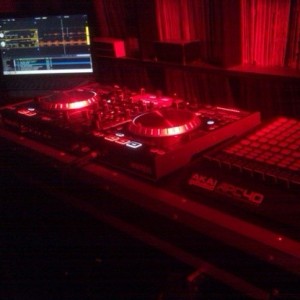
USB cable typically. Depends on the MIDI controller though. Most have USB connections these days, but if it only has the 5-pin DIN connections then you're going to need a DIN-to-USB adapter cable/interface, like the M-Audio Uno.
dj-in-cali
5:18 AM - 17 September, 2008
It all depends what kind of controller your talking about. If it has a USB connection, like an MPD24 or Trigger Finger, then all you do it plug it into your computer. If it only has Midi in and out jack, then you must get some sort of an adaptor from Midi jack to USB so you could plug it in to your computer.
To use Midi with Scratch Live, you must have version 1.8.1 or 1.8.2. I'm not sure if any other version before 1.8.1 supports Midi.
To assign Midi, all you do is press the Midi button on the top of the screen, click on the function you want assign, than press a pad or key, or move a slider, or turn a knob from your controller so it learns that function. Repeat these step for every function you want to assign. After you finnished assigning all the functions, simply press the Midi button once again, and your done.
To use Midi with Scratch Live, you must have version 1.8.1 or 1.8.2. I'm not sure if any other version before 1.8.1 supports Midi.
To assign Midi, all you do is press the Midi button on the top of the screen, click on the function you want assign, than press a pad or key, or move a slider, or turn a knob from your controller so it learns that function. Repeat these step for every function you want to assign. After you finnished assigning all the functions, simply press the Midi button once again, and your done.


Chad S.
3:55 PM - 17 September, 2008
it is possible but there is not complete support. What device are you thinking of using with Scratchlive
E-dub
10:24 PM - 17 September, 2008
An Edirol PCR-M30 with a USB connection. I'll try what dj-in-cali said and see if it works.


Nick M
11:17 PM - 17 September, 2008
Hi E-dub,
Check out this article on midi with Scratch LIVE: serato.com It should answer a few of your questions :)
Check out this article on midi with Scratch LIVE: serato.com It should answer a few of your questions :)