

Software help archive
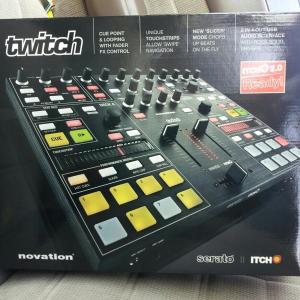
My twitch shuts off in the middle of using Itch.
Support
My twitch shuts off in the middle of using Itch.
A read-only archive of old serato.com help threads.
My twitch shuts off in the middle of using Itch.
Product
ITCH
Version
2.2
Hardware
Novation TWITCH
Computer
Mac
OS
Platform
-
djjoematt
2:22 AM - 7 May, 2012
While playing Tracks in the middle of my mix the Twitch controller shuts off. It's makes a huge pop through the speakers and done. The program continues to run with both decks showing as if the hardware were still running fine. Interesting. I just got my twitch wednesday. It's Sunday.... I love this thing I hate this problem. I'm running the the latest Snow leapord update. My machine has been running all my other contollers, midi interface, and external drives fine. This sucks. I just made the switch and sold my Scratch box Friday. I got gigs next week. Help!!!!!!!!! I'm running Scratch 2.2
djjoematt
2:45 AM - 7 May, 2012
I scanned all my tracks to check for corrupt files. I'm thinking about reinstalling the whole thing again. I've tried three different usb cables as well. They all came from other devices that were working just fine. I saw a post that had a kind of similar problem it said to make sure the firmware was up to date. Had some directions on how to that. The path started with "setup" I'm not sure where that set up tab is? I kind of feel like it may be the device. Oh.... almost forgot. When I use the booth out, it sends a pop........ pop.......... pop through my speakers. It doesn't happen when I use the 1/4 in masters though. Can I take this back and exchange it . It's five days old it's been happening for 4 of those days. Still think Novation is the bomb!!!!! Come through for me guys. Thanks.
djjoematt
4:33 AM - 7 May, 2012
Update. I turned the screen saver and sleep modes to never. I've been jamming for almost two hours. Hope it stays this way. Report back if it crashes again. Wish me luck WWW.


Martin C
3:41 AM - 18 May, 2012
Hi djjoematt,
I apologize for the slow response, our Support Team has been very busy.
It sounds like potential some power management settings were causing you this issue, and it is definitely possible.
Just make sure you have the rest of these recommended settings for when you are playing with ITCH and the TWITCH > serato.com
I would also make sure that ALL your files are analyzed and that you have ensured none of them are showng the corrupt symbol. If you see any corrupt files, it is best that you remove them from the library.
Let me know how you get on :)
I apologize for the slow response, our Support Team has been very busy.
It sounds like potential some power management settings were causing you this issue, and it is definitely possible.
Just make sure you have the rest of these recommended settings for when you are playing with ITCH and the TWITCH > serato.com
I would also make sure that ALL your files are analyzed and that you have ensured none of them are showng the corrupt symbol. If you see any corrupt files, it is best that you remove them from the library.
Let me know how you get on :)

maarawoe
9:04 AM - 20 May, 2012
Similar issue happened me once - the twitch got disconnected from my macbook and reconnected itself after few seconds again. Of course there was a audio dropout but the itch acted like the hw is still there...
Martin C
6:23 AM - 21 May, 2012
Hey maarawoe,
It can happen for a number of reasons, and isn't always initially obvious as to why.
If you wish to investigate any further and if it continues to happen to you, I suggest starting a separate help request so someone from our support team can assist you individually.
Thanks :)
It can happen for a number of reasons, and isn't always initially obvious as to why.
If you wish to investigate any further and if it continues to happen to you, I suggest starting a separate help request so someone from our support team can assist you individually.
Thanks :)
maarawoe
1:02 PM - 21 May, 2012
It can happen for a number of reasons, and isn't always initially obvious as to why.
If you wish to investigate any further and if it continues to happen to you, I suggest starting a separate help request so someone from our support team can assist you individually.
Thanks :)
Thanks for reply but I don't think that it would need any further investigation even its strange and a bit scary if you know that it can happen anytime...
It happend only once and it never occurred again. One possible cause is that the twitch was connected to the powered usb hub so maybe the devices had some problem communicating each other.. But as I said - it happen once and if it happens again, I will try to check system logs and in case there is something strange, I will make a separate support request..
thanks
m.
Quote:
Hey maarawoe,It can happen for a number of reasons, and isn't always initially obvious as to why.
If you wish to investigate any further and if it continues to happen to you, I suggest starting a separate help request so someone from our support team can assist you individually.
Thanks :)
Thanks for reply but I don't think that it would need any further investigation even its strange and a bit scary if you know that it can happen anytime...
It happend only once and it never occurred again. One possible cause is that the twitch was connected to the powered usb hub so maybe the devices had some problem communicating each other.. But as I said - it happen once and if it happens again, I will try to check system logs and in case there is something strange, I will make a separate support request..
thanks
m.

phatbob
2:36 PM - 21 May, 2012
It's definitely not recommended to connect any Itch controller via a USB hub. Same goes for SL boxes too.
Martin C
6:50 AM - 23 May, 2012
Yeah, what phatbob said, we always recommend users to connect any Rane/Scratch Live hardware or ITCH controllers directly to their computers.
Cheers Maarawoe :D
Cheers Maarawoe :D