

Serato Video General Discussion
Video Demo
Talk about Serato Video and Video-SL.
Video Demo
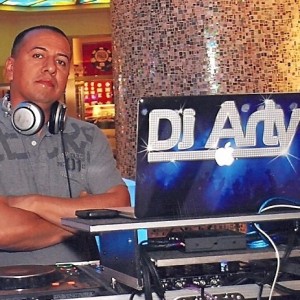
Dj Arty
8:26 PM - 12 November, 2009
Hi guys.... Wondering if anyone can tell me what is the easiest way to record a video demo from my Mac ?? Do I need to get additional software or hardware ?? Thanks...

Dj Arty
10:26 PM - 12 November, 2009
So it records along with your set ?? How user friendly is it ??

DJLRock
11:18 PM - 12 November, 2009
screenflow or ishowu will record your output from the 2nd display but you need to run the audio from your mixer back into your mac

djbigboy
11:31 PM - 12 November, 2009
just started using screenflow yesterday, finally got it settled in....free demo, just google, try it out....it runs pretty much in the background, you almost forget its recording...


dj kiss
5:29 PM - 13 November, 2009
heres what i used - www.roxio.com
my quick cheap way around i guess but it captures the video and sound. i did a quick demo with this and it came out ok. Quality is not super great but it got what i needed done and burned to dvd as soon as i was done recording my mix.
my quick cheap way around i guess but it captures the video and sound. i did a quick demo with this and it came out ok. Quality is not super great but it got what i needed done and burned to dvd as soon as i was done recording my mix.

fcprod1
8:22 PM - 13 November, 2009
make sure when you export/save it that you use LOSSLESS setting for the best quality. Then i use imovie to burn onto a dvd
To participate in this forum discussion please log in to your Serato account.