

Software help archive
Serato slowing down after some time
Support
Serato slowing down after some time
A read-only archive of old serato.com help threads.
Serato slowing down after some time
Product
Serato DJ Pro
Version
dont-know
Hardware
Reloop Terminal Mix 2
Computer
PC
OS
Platform
-

Monjster95
5:22 PM - 20 May, 2013
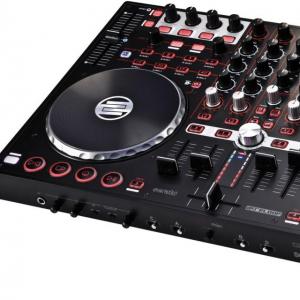
So I have this problem with Serato that it goes slower and the sound quality drops after some time. The problem is not that big when Im playing at home but at gig where the speakers are much bigger it really slows down. Laptop specs shouldn't be a problem as I have bought it recently.

Nils.Liebich@reloop.com
8:02 AM - 21 May, 2013
Hey,
can you please give me the following informations:
- Firmware Version
- TM Serial Number
- Your Dealer Information
can you please give me the following informations:
- Firmware Version
- TM Serial Number
- Your Dealer Information
Nils.Liebich@reloop.com
8:02 AM - 21 May, 2013
Hey,
can you please give me the following informations:
- Firmware Version
- TM Serial Number
- Your Dealer Information
can you please give me the following informations:
- Firmware Version
- TM Serial Number
- Your Dealer Information
Nils.Liebich@reloop.com
8:02 AM - 21 May, 2013
Hey,
can you please give me the following informations:
- Firmware Version
- TM Serial Number
- Your Dealer Information
can you please give me the following informations:
- Firmware Version
- TM Serial Number
- Your Dealer Information
Monjster95
11:54 PM - 21 May, 2013
I installed the newest firmware.
Is it safe to post the serial number here?
And I got it from a store that you can find here: www.player.rs
Is it safe to post the serial number here?
And I got it from a store that you can find here: www.player.rs


David Wood
11:15 PM - 23 May, 2013
Hey Monjster95,
We recommend never posting personal information on the serato.com forum as it is public. However the serial of your controller should be fine to post.
What are your computer spec's?
Regards
Dave W
We recommend never posting personal information on the serato.com forum as it is public. However the serial of your controller should be fine to post.
What are your computer spec's?
Regards
Dave W
Monjster95
12:37 PM - 25 May, 2013
Thank you for your reply.
Well somewhere I read that serial number can be used in some bad things (not sure what) by some people who are more techy people.
CPU: Intel I5-3317U
8gb RAM
graphics : NVIDIA GeForce GT 630M 2GB DDR3
Well somewhere I read that serial number can be used in some bad things (not sure what) by some people who are more techy people.
CPU: Intel I5-3317U
8gb RAM
graphics : NVIDIA GeForce GT 630M 2GB DDR3
David Wood
11:55 PM - 26 May, 2013
In the Setup screen within Serato DJ, under the 'Audio' tab, what is your USB buffer latency set to? Try moving it further to the right, does that help?
Also running optimizing your setting for audio. Here are two guides to help you:
serato.com
blog.dubspot.com
Regards
Dave W
Also running optimizing your setting for audio. Here are two guides to help you:
serato.com
blog.dubspot.com
Regards
Dave W
Monjster95
5:00 PM - 27 May, 2013
It's already all the way to the right. I played today and it started stuttering from the second song.
I will try that thanks/
I will try that thanks/
Monjster95
8:09 AM - 28 May, 2013
So after hours and hours of trying, I solved everything after watching that second tutorial. It were Bluetooth and Wifi that were giving me the CPU spikes. I just disabled them in Device Manager and it looks like it's working just fine right now.
Thanks
Thanks